Key takeaways
- Modern official Litematica builds target Fabric.
- Forge and NeoForge ports are community projects with their own pace.
- A separate Fabric instance is the most reliable option for Forge players.
What's official
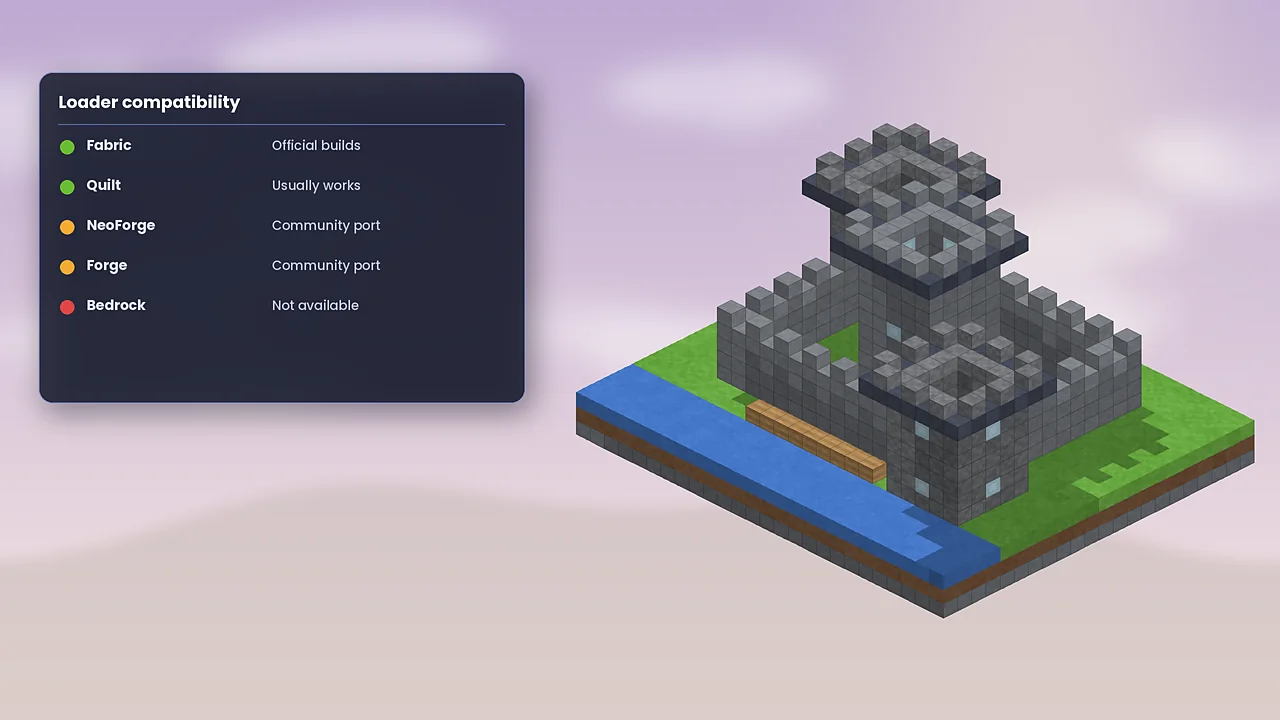
People search for “Litematica mod Forge” a lot, and the honest answer is that modern official Litematica builds are for Fabric. masa moved his mods to Fabric when Minecraft 1.14 arrived, and that's where development has stayed. Back in the 1.12.2 era there were Forge and LiteLoader builds, which is why older tutorials mention Forge.
Community ports
For some Minecraft versions, independent developers have published Forge or NeoForge ports of Litematica and MaLiLib. These are separate projects, maintained by different people, and they may arrive later than the Fabric version or behave slightly differently. If you use one, download it only from its own Modrinth or CurseForge page, read the description carefully, and report bugs to the port's author rather than to masa.
Choosing a setup
If a port exists for your exact version and your modpack is Forge-based, it can be convenient. If no port exists, or you rely on every Litematica feature, the Fabric route is safer. Keep in mind that a port has to follow both Litematica updates and loader changes, so gaps are normal.
The two-instance approach
Many Forge players keep a small Fabric instance just for building. Prism Launcher and the Modrinth App make this painless: one instance for your Forge modpack, one Fabric instance with Litematica, MaLiLib and perhaps Sodium. Design and save schematics in the Fabric instance. Since schematics are just files, you can copy them wherever you need.
This won't let you use the overlay inside a Forge world with modded blocks. Modded blocks from Forge-only mods won't exist in a vanilla Fabric instance, so this approach works best for vanilla-block builds.
Compatibility layers
Tools such as Sinytra Connector aim to load Fabric mods on NeoForge. Results vary from mod to mod, and client rendering mods like Litematica are among the harder cases. Treat it as an experiment and back up your worlds first.
Summary
For the smoothest experience, run Litematica on Fabric. If you're committed to Forge or NeoForge, look for a maintained port for your version, or keep a Fabric building instance on the side. Our Fabric installation guide gets you set up, and the compatibility table summarises what runs where.

Litematica Mod Editorial Team
Long-time Minecraft builders and technical players who test every guide in a clean Fabric install. About our team.